







Printing Documents
Solution
Follow this procedure to print a document from your computer. Make sure that the printer driver is installed. To check if the driver is installed, see Installing the software using Network connection and Installing the Software using USB connection.
NOTE
How to display the print screen or items on the screen may vary depending on your application and/or OS.
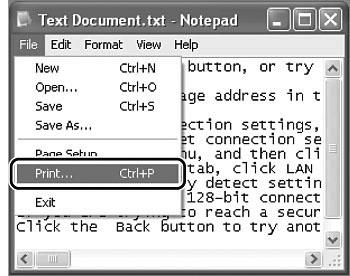
From an open document on an application, click [File] → [Print].
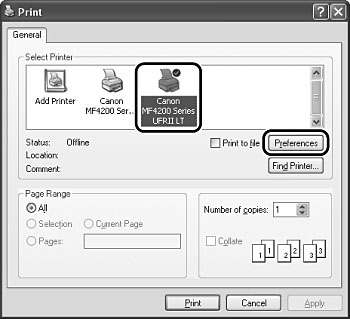
Select the printer icon for the machine ([Canon MF4200 Series UFRII LT]), then click [Preferences] or [Properties] to open the dialog box.
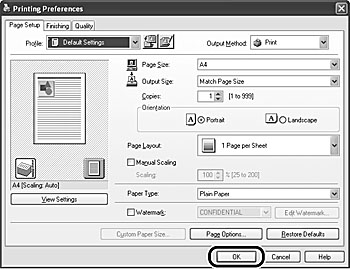
Make necessary settings, then click [OK].
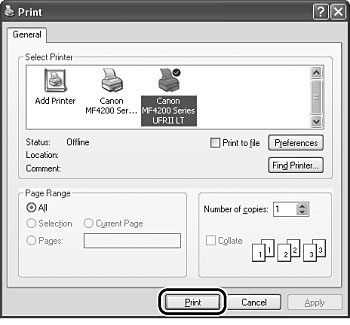
Click [Print] or [OK].