







How to turn self-timer photography off (EOS REBEL T4i/EOS 650D)
Solution
1. Press <  > button.
> button.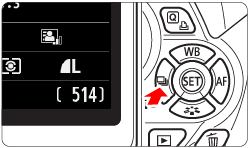
2. Select an item other than the self-timer using the <Cross Keys> or <Main Dial>. The procedure for single-image shooting ( ) is selected is described here.
) is selected is described here.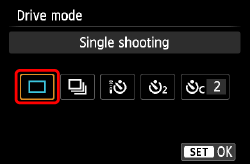
3. Press the <SET> button.
The camera is set to single-image shooting () and self-timer shooting is turned off.
) and self-timer shooting is turned off.