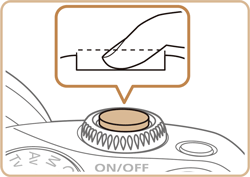
Enlarging the Image when Focusing Manually (EOS M3)
Solution
The procedure for enlarging the image when focusing manually is explained below.
NOTE
To use MF, please select a shooting mode other than [  ] (Scene Intelligent Auto), [
  ] (Hybrid Auto), or [
  ] (Sports).
] (Scene Intelligent Auto), [ ] (Hybrid Auto), or [ ] (Sports).1. Set the camera’s power to [ON].
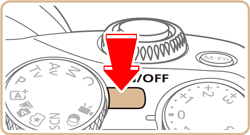
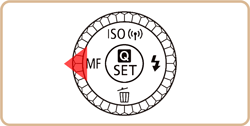
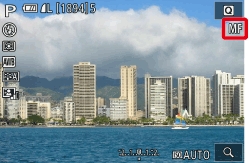
2. Press the [  ] button if you have an EF-M lens attached.
] button if you have an EF-M lens attached.●[MF] is displayed.
REFERENCE
If you have a non-EF-M lens, turn off the camera, set the lens switch to [MF], then turn the camera back on.
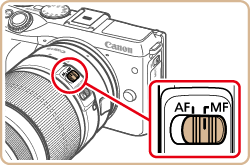
If [Continuous AF] is set to [Off], you do not need to turn off the camera when switching to [MF] when using a non-EF-M lens.
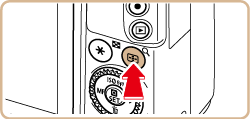
3. Press the [  ] button.
] button.● The magnifying frame will appear in the center of the screen. On the bottom right, you will see a magnification ratio and the area currently being magnified.
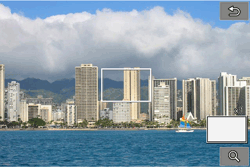
4. Press the [  ], [
], [  ], [ ], [
  ] buttons to move the frame and select the area to magnify.
], [ ], [ ], [ ] buttons to move the frame and select the area to magnify.- Hold down the [ ] button for at least two seconds to reset the frame to the center of the screen.
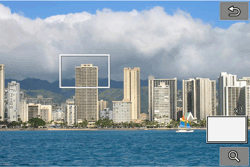
5. Press the [ ] button or turn the [  ] or [
  ] dial to switch the overall magnification between 1x (no magnification), 5x, or 10x.
] button or turn the [ ] or [ ] dial to switch the overall magnification between 1x (no magnification), 5x, or 10x.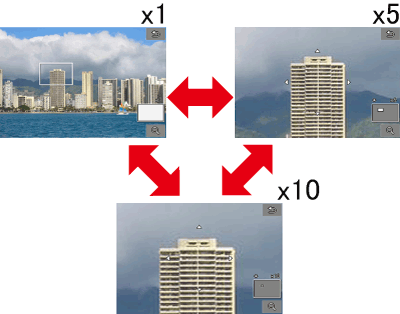
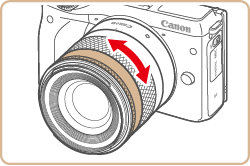
6. While looking at the magnified display, turn the lens focusing ring to focus.
(The EF-M18-55mm F3.5-5.6 IS STM is shown in the example image below. The location and characteristics of the focus ring may differ depending on the lens model.)
7. Shoot.