







Adding Cinema-Look Filters to Recorded Scenes
Giải pháp
You can add Cinema-Look filters to AVCHD and MP4 movies saved to a memory, and save them to the other memory card.
The movies will be saved in MP4.
REFERENCE
The effects of Cinema-look filters applied during shooting and those applied when converting to MP4 may differ.
The procedure for adding Cinema-Look filters to recorded scenes is explained below.
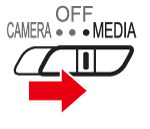
1. Set the power switch to MEDIA.
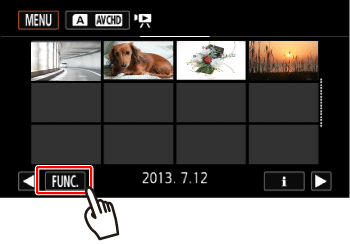
- Open the desired movie index screen.
2. Touch [  ].
].
].
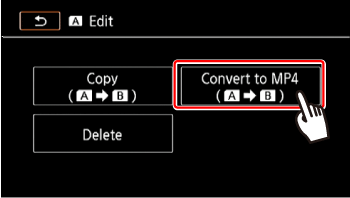
3. Touch [Convert to MP4 [  ] or [Convert to MP4 [
  ].
].
] or [Convert to MP4 [ ].*The menu for copying from the memory card used for playback to the other memory card will be displayed.
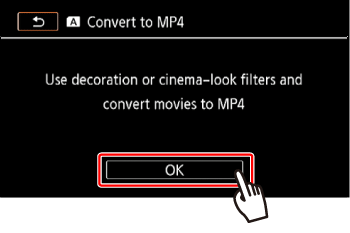
4. Touch [OK].
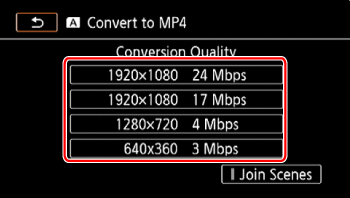
5. Select the desired video quality of converted movies.
NOTE
Before selecting the video quality, touch [Join Scenes] to join the converted movies into one movie.
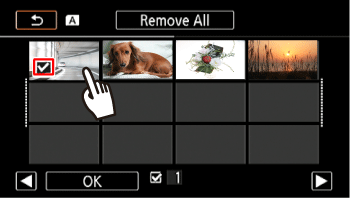
6. Touch the individual scenes you want to add the filters to.
- A checkmark
 will appear on the scenes you touch. The total number of selected scenes will appear next to the
  .
.
NOTE
To remove all checkmarks at once, touch [Remove All] > [Yes].
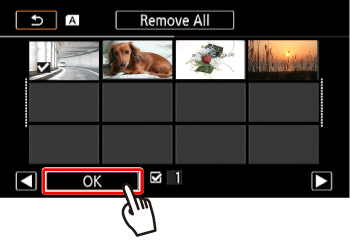
7. Touch [OK].
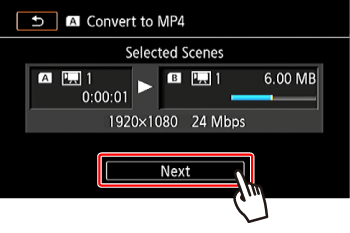
8. Touch [Next].
9. Touch [FILTER1].
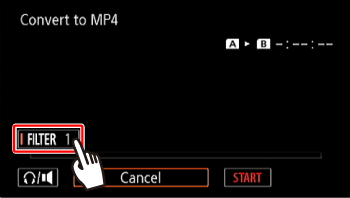
10.  Select the filter you want to add, and then
  touch [OK].
Select the filter you want to add, and then touch [OK].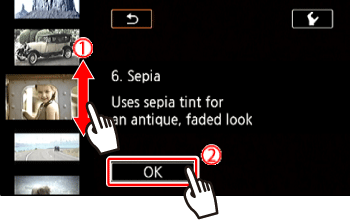
NOTE
To Remove the filter, touch [FILTER1-9].
11. Touch [START] to convert the scene.
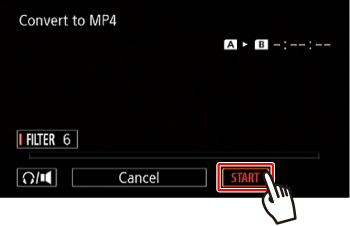
NOTE
Touch [STOP] to interrupt the operation while it is in progress.
12. Touch [OK].
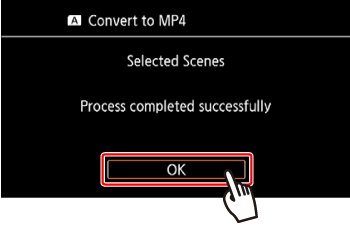
・Based on the following options, movies will be converted and then copied .
● Scenes with a frame rate of 23.98P can be joined only with other scenes with a frame rate of 23.98P. They cannot be joined with scenes with other frame rates.
● While converting movies, video and audio signals will not be output from the camcorder's terminals.
| Recording mode before conversion | Video quality options | |
|---|---|---|
| AVCHD | MP4 | |
| 28 Mbps LPCM (59.94P),28 Mbps (59.94P) | 35 Mbps (59.94P) | Cannot be converted |
| 24 Mbps LPCM, 17 Mbps, 5 Mbps | 24 Mbps, 17 Mbps | 24 Mbps, 17 Mbps, 4 Mbps, 3 Mbps |
| – | 4 Mbps | 4 Mbps, 3 Mbps |
| – | 3 Mbps | 3 Mbps |
● While converting movies, video and audio signals will not be output from the camcorder's terminals.
This concludes the procedure for adding Cinema-Look filters to recorded scenes.