

Promotion
Profile Analyzer
Accurate Profile Detection
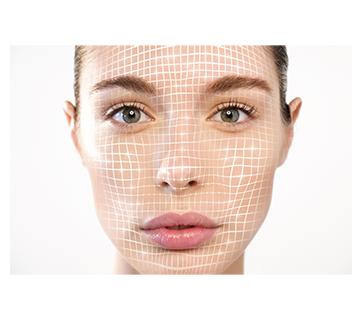
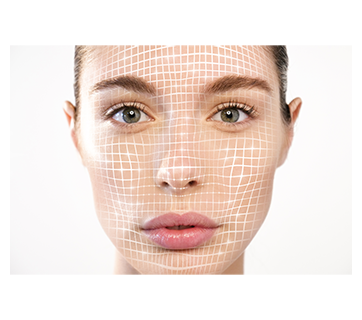
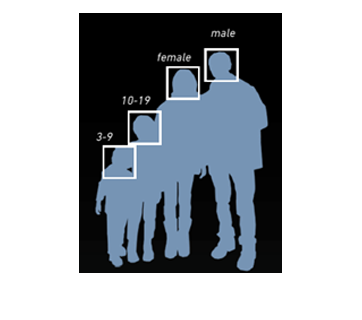
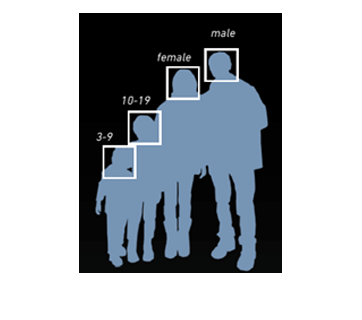
Combining the Face Detection and Tracking Technology, Canon’s Profile Analyzer accurately detect the age and gender of multiple persons simultaneously to supply invaluable information for marketing strategies development and resource deployment.
Features
Detection Area
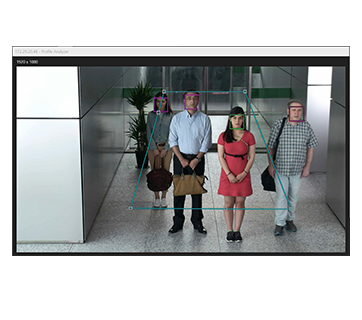
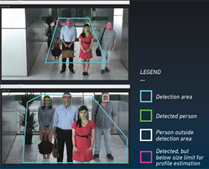
User can define, select and adjust the desired area of detection for analysis based on their requirements and environment installed.
Time Schedule Analysis
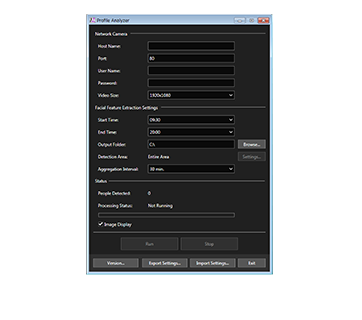
User can automatically activate and perform analysis based on the operation hours or schedule setting intervals that is adjustable via Screen UI.
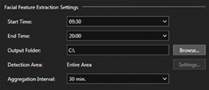
Simple and easy to operate UI with summary of detection and progress of analysis are shown.
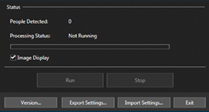
Privacy Settings
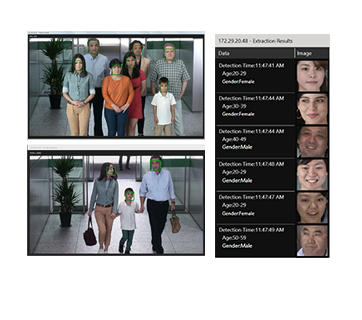
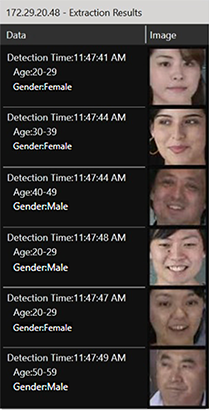
Analyzed results with cropped image are available as preview for user to confirm the detection. Thereafter, these captured face images are not saved due to privacy consideration.
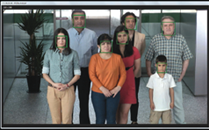
Result Preview Screen
Images that were tied to personal data are not saved
Introduction and Highlights
Specifications
Operating System Language
| Recommended PC Specifications | CPU : Intel Core-i7-4770 or greater (at least 4 cores, HT technology compatible) Memory : 8GB or greater | |
| Operating System | Windows 7 Ultimate/Professional/Enterprise/Home Premium SP1 64-bit Windows 8.1/Windows 8.1 Pro/Windows 8.1 Enterprise 64-bit Windows 10 Pro/Enterprise/Home 64-bit Windows Server 2008 R2 Standard SP1 64-bit Windows Server 2012 Standard 64-bit Windows Server 2012 R2 Standard 64-bit Windows Server 2016 is not supported. | |
| Software | .NET Framework 4.5.2 | |
| Operating System Language | Japanese/English | |
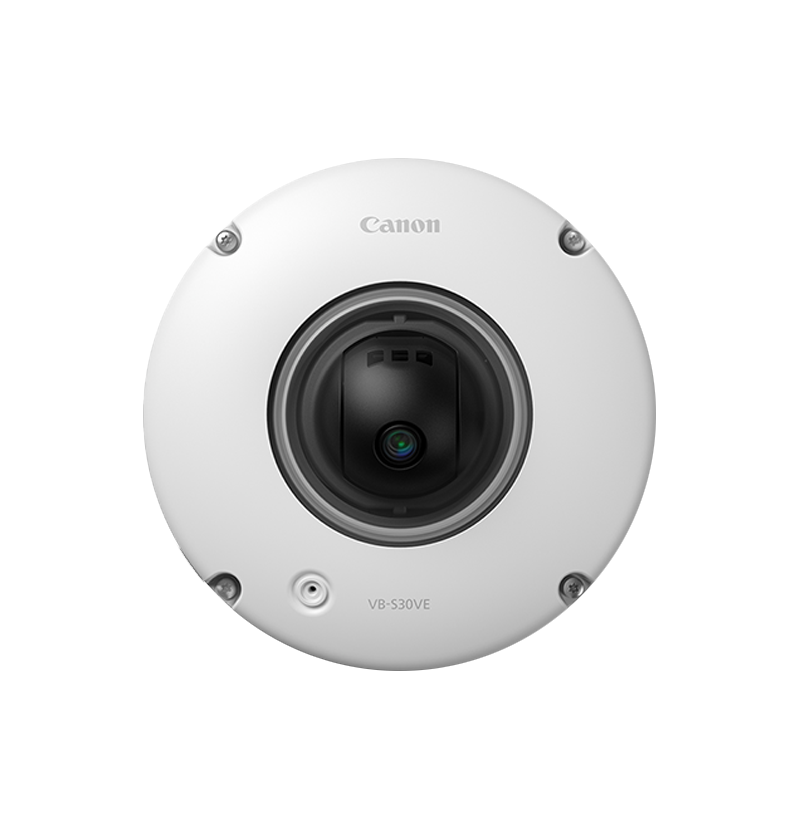
| Compatible Cameras *information as of June 2017 | VB-H761LVE-H, VB-H751LE-H, VB-M741LE-H, VB-S30D MK II, VB-S31D MK II, VB-S800D MK II, VB-S900F MK II, VB-S805D MK II, VB-S905F MK II, VB-H730F MK II, VB-H45/B, VB-M44/B, VB-S30VE, VB-S800VE, VB-S910F, VB-R13VE, VB-R13, VB-R12VE, VB-M50B, VB-H652LVE, VB-H651VE, VB-H651V, VB-H761LVE, VB-H760VE, VB-H751LE, VB-R11VE, VB-R11, VB-R10VE, VB-M641VE, VB-M641V, VB-M640VE, VB-M640V, VB-M741LE, VB-M740E, VB-H43/B, VB-H630VE, VB-H630D, VB-H730F, VB-M42/B, VB-M620VE, VB-M620D, VB-M720F, VB-S30D, VB-S31D, VB-S800D, VB-S900F, VB-S805D, VB-S905F | |
| Requirements for the input file | Video Format : JPEG Resolution : 1920x1080, 960x540, 480x270 (The closest available image size offered by the camera, will be used as a source.) Frame rate : 10fps (Fixed) Other Setting : The camera’s quality and angle settings, other than the resolution and frame rate, need to be set using the camera beforehand. Continuous : Not limited. Continues as long as the camera’s “Maximum Connection Time” setting allows. Communications Protocol : IPv4 (Does not support IPv6), HTTP. Does not support SSL User Authentication : Basic Authentication /Digest Authentication Connection via proxy : Not supported | |
| Functions | ||
| Age group estimation Gender estimation | Input | Canon Network Camera Live Video |
| Output | Output: CSV file, log Age : 0-2/ 3-9/ 10-19/ 20-29/ 30-39/ 40-49/ 50-59/ 60 or older (Unit : years old) Gender : Male/ Female *If a profile cannot be estimated (for example, only a side profile is visible and a forward looking face is undetectable), it is set to no profile. *Counts people for each profile (Age Group, Gender), and aggregates at each specified time. | |
| Detection area specification | Sets using a polygon with three to eight points. Multiple areas cannot be specified. Detection area edit: Changes the shape of the detection area | |
| CSV file aggregation interval | Interval at which to aggregate the results of feature extraction: 10 min. / 15min. / 30 min. / 1 h | |
| File Output Interval | Works with file aggregation interval | |
| Schedule Setting | Sets analysis start time/end time (30 min. units) | |
| Setting export/ import | Export file are output into the specified folder | |
| Log output | ✓ | |
| Processing status check | People detection status (displays rectangles on detected faces) Preview Display (displays latest profile estimation results for 6 people) | |
| Specifications | ||
| Maximum number of people detectable per minute | 30 people/min | |
| Minimum analyzable face size | 80 pixels | |
| Number of concurrent activations per license | 1 | |
| Number of simultaneous sessions on 1 PC | No limitations (SIer controls the configuration) | |
| Cameras Installation Conditions | ||
| Detectable tilt of human face | Within +/- 15° in all directions (up/down/right/left rotation). When over/under +/- 15°, it is possible that the face cannot be detected. | |
| Recommended declination | The angle from directly in front of the face to the left or right is ±5°. The vertical angle from the face to the camera is 13° or less. | |
| Scenes and Subjects that are difficult to detect | ||
| Situations where detection accuracy decreases |
| |
| The following situations can cause non-human objects to be incorrectly detected as a person: |
| |
Related Pages
Product Disclaimer
- 01. Prices, specifications, availability and terms of offers may change without notice.
- 02. Products / Services may be manufactured by and/or supplied to us by third party manufacturers / suppliers for distribution / resale (non-Canon brand products).
- 03. Prices above are recommended retail price in VND and may change without prior notice.