




PIXMA G2770
PIXMA G2770
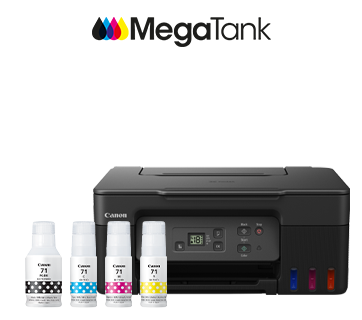
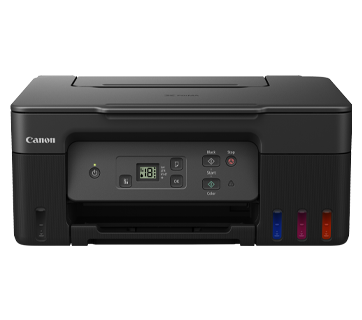
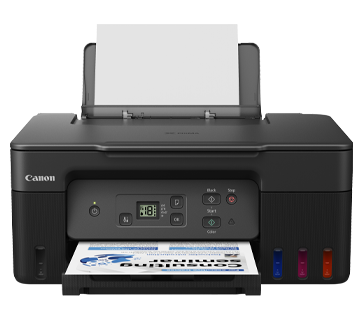
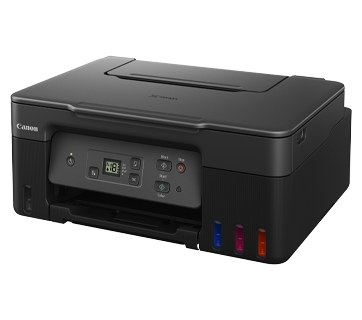
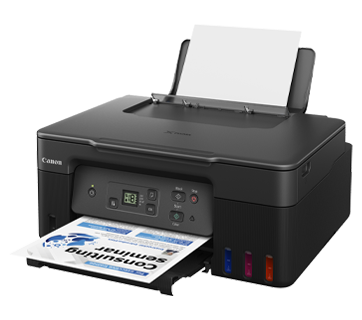
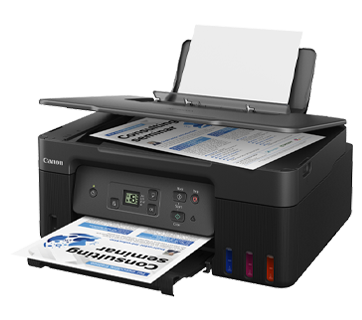
PIXMA G2770
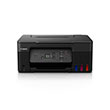
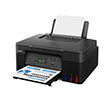
Máy in đa năng hiệu suất cao này kết hợp khả năng in chi phí thấp với màn hình LCD có đèn nền để vận hành dễ dàng.
Khuyến mãi
Tính năng nổi bật
Tính năng
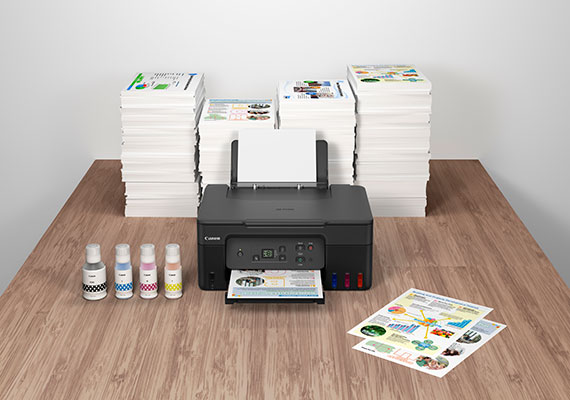
Ultra High Page Yield Ink Bottles
With high page yield ink bottles that print up to 7,600* pages (mono) and 8,100* pages (colour), perfect for heavy duty office printing without worry about ink costs!
*Economy mode.
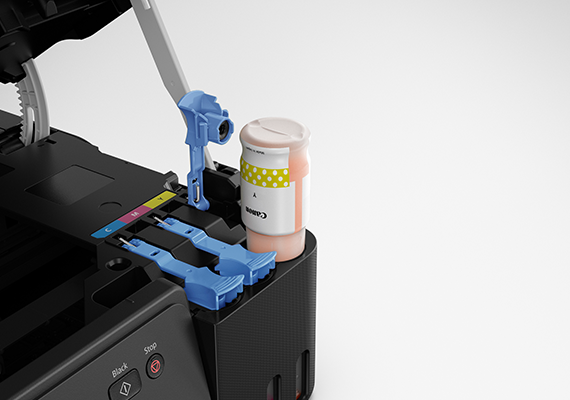
Easy, Hassle-free Ink Refilling
Ink refill is now made easy. Each ink nozzle is designed to fit seamlessly only into the designated ink tank, eliminating potential mixing accidents.
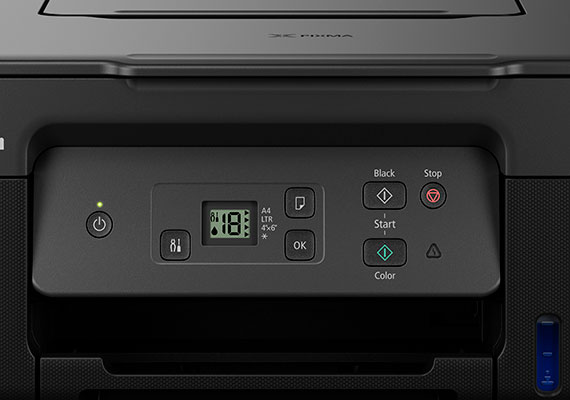
1.2" Segment LCD Panel
The 1.2” Segment LCD panel with guided instructions makes device operation and adjusting settings easy without needing to refer to the user manuals.
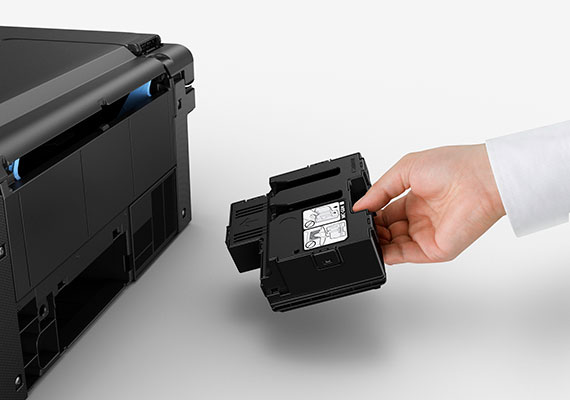
Easy Maintenance
The easy-to-replace maintenance cartridge makes maintenance fuss-free and extends printer lifespan even when printing in high volumes.
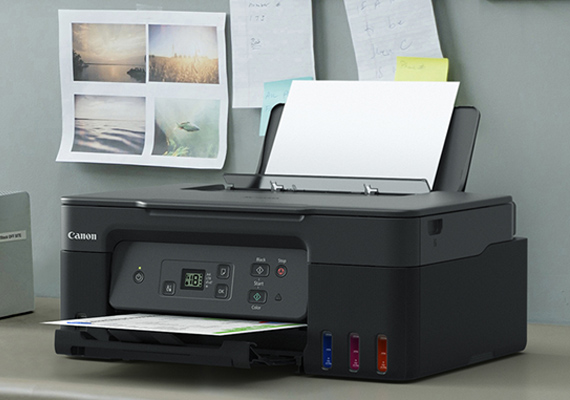
Compact, Space Saving Footprint
The printer’s compact footprint allows it to fit into tight spaces with ease.
Related Pages
Vật tư liên quan
Mực/Ruy băng/Đầu in
|
Tên sản phẩm
|
Số trang in
|
Loại sản phẩm
|
Giá
|
|
MC-G04
|
Bảo trì hộp mực máy in
|
||
|
GI-71 C (Cyan)
|
7700
Trang
|
Chai mực
|
|
|
GI-71 M (Magenta)
|
7700
Trang
|
Chai mực
|
|
|
GI-71 PGBK (Pigment Black)
|
6000
Trang
|
Chai mực
|
|
|
GI-71 Y (Yellow)
|
7700
Trang
|
Chai mực
|
|
|
GI-71S C (Cyan)
|
4400
Trang
|
Chai mực
|
|
|
GI-71S M (Magenta)
|
4400
Trang
|
Chai mực
|
|
|
GI-71S PGBK (Pigment Black)
|
3100
Trang
|
Chai mực
|
|
|
GI-71S Y (Yellow)
|
4400
Trang
|
Chai mực
|
|
|
BH-70 (Black)
|
Đầu in
|
||
|
CH-70 (Colour)
|
Đầu in
|
Tuyên bố miễn trừ trách nhiệm
- 01. Lượng trang in có thể khác nhau tùy thuộc vào độ phủ nội dung, chế độ cài đặt, nhiệt độ, độ ẩm và tần xuất in.
- 02. Đối với bình mực, sản lượng in ấn khai báo là giá trị ước tính dựa trên phương pháp thử nghiệm riêng của Canon sử dụng bảng màu ISO/IEC 24712 và mô phỏng in liên tục với việc thay bình mực mới sau lần cài đặt ban đầu. Sản lượng màu được dựa trên 1 bộ bình mực màu tổng hợp.
-
03. Đối với hộp mực, giá trị sản lượng được khai báo tuân theo tiêu chuẩn ISO/IEC 24711, sử dụng bảng màu ISO/IEC 24712. Các giá trị được thu được thông qua việc in liên tục.
Bấm vào đây để biết thêm chi tiết
Các loại giấy in
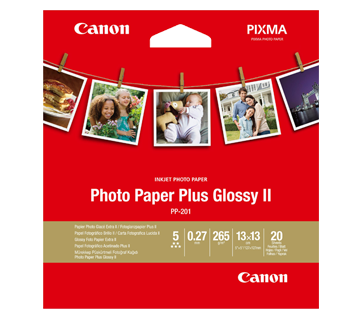
20 Tờ
PP-201 Photo Paper Plus Glossy II
- Excellent photographic result
- Glossy finish, vibrant colour
- Looks and feels like a traditional photograph
- Colours last up to 30 years
- Grammage - 265g/m2 (3.5 x 3.5”)
Grammage - 275g/m2 (A3, A3+)
20 Tờ
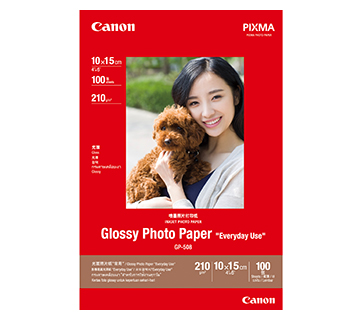
100 Tờ
20 sheets
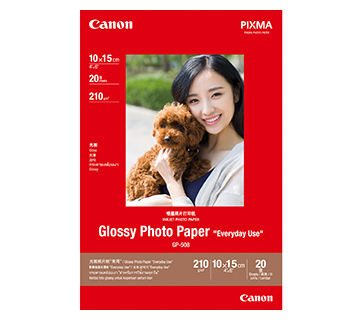
GP-508 Glossy Photo Paper
- Economical
- Good Photo Results
- Glossy Finish. Vibrant Colour.
- Grammage - 210g/m2
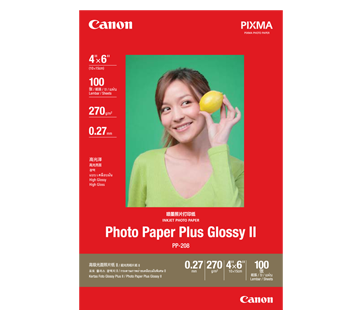
100 Tờ
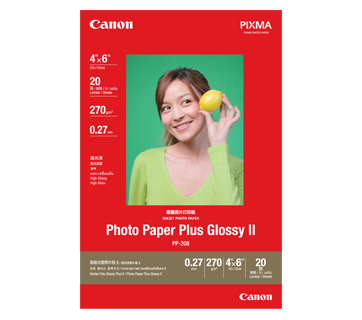
20 Tờ
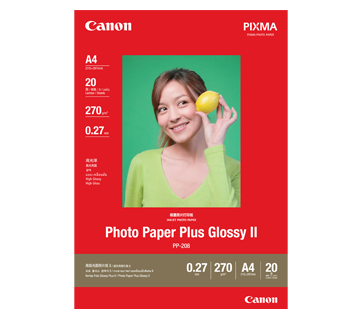
20 Tờ
PP-208 Photo Paper Plus Glossy II
- High quality photo paper
- Ultra-glossy finish
- Grammage - 270g/m2
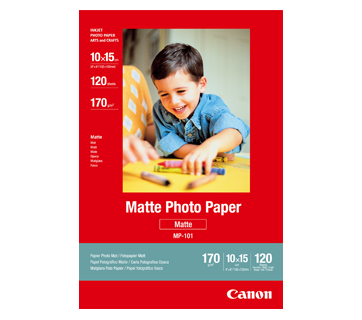
120 Tờ
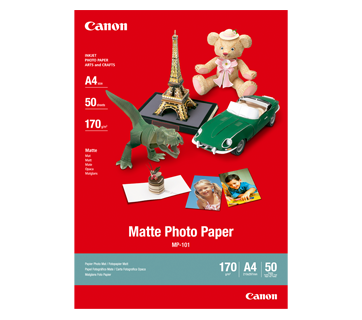
50 Tờ
MP-101 Matte Photo Paper
- Non-reflective surface
- Ideal for craft making, greeting cards and scrapbooking
- Colours last up to 15 years
- Grammage – 170g/m2
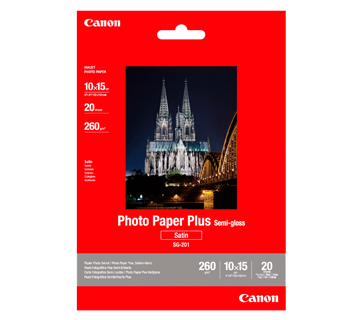
20 Tờ
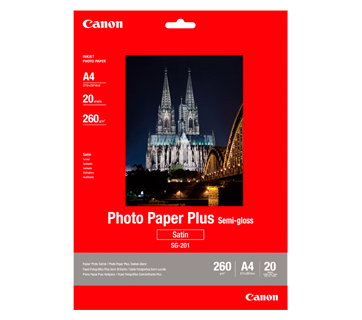
20 Tờ
SG-201 Photo Paper Plus Semi-Gloss
- Semi-gloss finish
- Grammage - 260g/m2
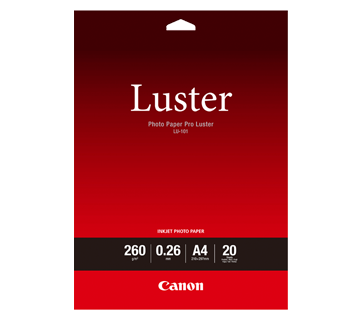
20 Tờ
LU-101 Photo Paper Pro Luster
- Fast drying time
- Consistent look and colour under display lighting
- Ideal for studio and special event photos
- Semi-gloss finish
- Grammage - 260g/m2
200 Tờ
50 Tờ
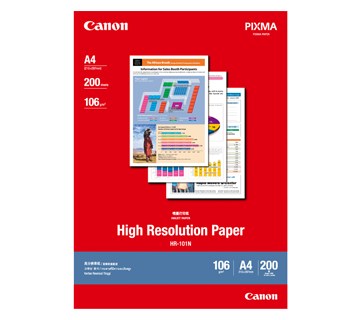
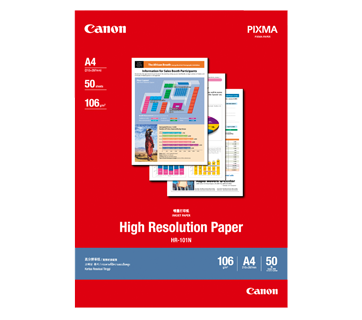
HR-101N High Resolution Paper
- Coated paper
- Produces brilliantly coloured text and graphic
- Grammage – 106g/m2
50 tờ
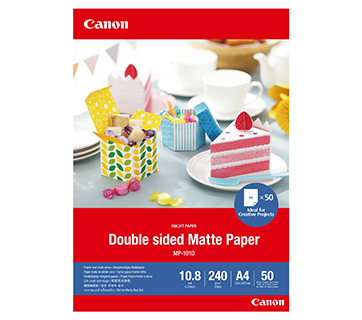
MP-101D Double-Sided Matte Paper
- Non-reflective surface
- Ideal for craft making, greeting cards and scrapbooking
- Grammage – 240g/m2 *Please check the supported media sizes against the compatible printers
Các bài viết liên quan

Đặc điểm kỹ thuật
Print Head / Ink |
|
Number of Nozzles |
Total 1,792 nozzles |
Ink Bottles (Type/Colours) |
GI-71 |
Maintenance Cartridge |
MC-G04 |
Maximum Printing Resolution |
4,800 (horizontal)*1 x 1,200 (vertical) dpi |
Print Speed*2 (Approx.)
Based on ISO/IEC 24734 |
|
Document (ESAT/Simplex) |
11 / 6 ipm (mono/colour) |
Document (FPOT Ready/Simplex) |
9 / 14 sec (mono/colour) |
Photo (4 x 6") (PP-201/Borderless) |
45 sec |
Printable Width |
Up to 203.2 m (8") |
Print Margin |
|
Borderless Printing*3 |
Top/Bottom/Left/Right margin: 0 mm |
Bordered Printing |
Envelope (COM10 / DL):
|
Support Media |
|
Rear Tray |
Plain Paper (64 - 105 g/m²)
|
Paper Size |
|
Rear Tray |
A4, A5, A6, B5, LTR, LGL, Executive, Oficio2, |
Paper Size (Borderless)*3 |
A4, B5, LTR, 4 x 6", 5 x 7", 7 x 10", 8 x 10", Square (89 x 89 mm, 127 x 127 mm), Card Size (91 x 55 mm) |
Paper Handling (Maximum Number) |
|
Rear Tray |
[Plain Paper, A4/LTR]
|
Paper Weight |
|
Rear Tray |
Plain Paper: 64 - 105 g/m²
|
Ink End Sensor |
Dot count type |
Print Head Alignment |
Manual |
Scan*4
Scanner Type |
Flatbed |
Scanner Method |
Contact Image Sensor (CIS) |
Optical Resolution*5 |
600 x 1,200 dpi |
Scanning Bit Depth (Input/Output) |
|
Greyscale |
16 bit / 8 bit |
Colour |
RGB each 16 bit / 8 bit |
Line Scanning Speed*6 (Approx.) |
|
Greyscale |
1.5 ms/line (300 dpi) |
Colour |
3.5 ms/line (300 dpi) |
Maximum Document Size |
|
Flatbed |
A4, LTR (216 x 297 mm) |
Copy
Compatible Media |
|
Size |
A4, A5, A6, B5, LTR, Executive (184.2 × 266.7 mm), 4 x 6", 5 x 7", Square (127 x 127 mm), Card Size (91 x 55 mm) |
Type |
Plain Paper (64 - 105 g/m²)
|
Image Quality |
3 positions (Economy, Standard, High) |
Density Adjustment |
9 positions |
Copy Speed*7 (Approx.) Based on ISO/IEC 24734
|
|
Document (Colour): (sFCOT/Simplex)/ (sESAT/Simplex) |
23 sec / 3.2 ipm |
Multiple Copy |
|
Mono/Colour |
Max. 20 pages |
Maximum Document Size |
A4 / LTR |
System Requirements*8
Windows 11 / 10 / 8.1 / 7 SP1
|
General Specifications
Operation Panel |
|
Display |
1.2" / 3.0 cm Segment LCD (Monochrome) |
Interface |
USB 2.0 |
Operating Environment*9 |
|
Temperature |
5 - 35°C |
Humidity |
10 - 90% RH (no dew condensation) |
Recommended Environment*10 |
|
Temperature |
15 - 30°C |
Humidity |
10 - 80% RH (no dew condensation) |
Storage Environment |
|
Temperature |
0 - 40°C |
Humidity |
5 - 95% RH (no dew condensation) |
Quiet Mode |
Available |
Acoustic Noise (PC Print) (Approx.) |
|
Plain Paper (A4, Mono)*11 |
48.5 dB(A) |
Power |
AC 100 - 240 V, 50/60 Hz |
Power Consumption (Approx.) |
|
OFF |
0.1 W |
Standby |
0.6 W |
Copying*12 |
14 W |
Duty Cycle |
Up to 3,000 pages/month |
Dimensions (WxDxH) (Approx.) |
|
Factory Configuration |
416 x 337 x 177 mm |
Output / Trays Extended |
416 x 557 x 268 mm |
Weight (Approx.) |
6 kg |
Page Yield
Plain Paper (A4 pages)
|
Standard:
|
| Photo Paper (PP-201, 4 x 6")
(ISO/IEC 29103 test file)*13 |
Standard:
GI-71 PGBK: NA*16 GI-71 C, M, Y: 2,200 GI-71S PGBK: NA*16 GI-71S C, M, Y: 1,200 |
- Ink droplets can be placed with a pitch of 1/4,800 inch at minimum.
- Document print speeds are the average of ESAT (Word, Excel, PDF) in Office Category Test for the default simplex mode, ISO/IEC 24734.
Photo print speed is based on the default setting using ISO/JIS-SCID N2 on Photo Paper Plus Glossy II and does not take into account data processing time on host computer.
Print speed may vary depending on system configuration, interface, software, document complexity, print mode, page coverage, type of paper used etc. - The following media or paper types do NOT support borderless printing: Envelope, High Resolution Paper, T-Shirt Transfer, Photo Stickers.
- TWAIN driver (ScanGear) is based on the TWAIN specification V1.9 and requires the Data Source Manager comes with the operating system.
- Optical resolution scan is available, only when you use TWAIN Driver.
Optical resolution is a measure of maximum hardware sampling resolution, based on ISO 14473 standard. - The fastest speed in Hi-Speed USB on Windows PC. Transfer time to computer is not included.
- Copy speeds are the average of sFCOT and sESAT, ISO/IEC 29183.
Copy speed may vary depending on document complexity, copy mode, page coverage, type of paper used etc. and does not take into account warm-up time. - Please visit https://asia.canon/support to check OS compatibility and to download the latest driver updates.
- The performance of the printer may be reduced under certain temperature and humidity conditions.
- For the temperature and humidity conditions of papers such as photo paper, refer to the paper's packaging or the supplied instructions.
- Acoustic Noise is measured based on ISO7779 standard with default setting.
- When copying ISO/JIS-SCID N2 (printed by inkjet printer) on A4 size plain paper using default settings.
- Page yield is the estimated value based on Canon individual test method using the ISO/IEC 24712 colour chart and continuous printing simulation with the Standard ink bottles after initial setup. Page yield varies significantly depending on contents printed and other factors.
- Based on 1 set of colour bottles.
- The Economy mode reduces the ink consumption by lowering the density. More pages can be printed by using this mode.
- Black ink is not used when printing under this condition. However, a minimal amount of black ink is used for maintenance purpose.
Disclaimer
|
Nơi mua
Bảng tính TCO



Tuyên bố miễn trừ trách nhiệm sản phẩm
- 01. Giá cả, thông số kỹ thuật và tình trạng & điều khoản hàng hóa có thể thay đổi mà không cần báo trước.
- 02. Sản phẩm/Dịch vụ có thể được sản xuất hay cung cấp cho chúng tôi bởi bên thứ ba (bao gồm nhà sản xuất/nhà cung cấp hay nhà phân phối/đại lý) (các sản phẩm không mang thương hiệu Canon).
- 03. Giá niêm yết được tính theo VND và có thể thay đổi mà không cần báo trước.
Tuyên bố miễn trừ trách nhiệm
- 01.Giá cả, thông số kỹ thuật và tình trạng & điều khoản hàng hóa có thể thay đổi mà không cần báo trước.
- 02.Sản phẩm/Dịch vụ có thể được sản xuất hay cung cấp cho chúng tôi bởi bên thứ ba (bao gồm nhà sản xuất/nhà cung cấp hay nhà phân phối/đại lý) (các sản phẩm không mang thương hiệu Canon).
- 03.Giá niêm yết được tính theo VND và có thể thay đổi mà không cần báo trước.
- 04.Bảng tính này tính toán tổng chi phí sử dụng máy in dựa trên các thông số sau:
i. Con số này chỉ mang giá trị ước tính, dựa trên đánh giá về nhu cầu sử dụng của người dùng trong tương lai. Chi phí sử dụng thực tế có thể thay đổi tùy vào lượng sử dụng thực tế của người dùng, môi trường in, chu kỳ bảo dưỡng và các yếu tố khác không nằm trong tính toán này. - 05.Lượng trang in có thể khác nhau tùy thuộc vào độ phủ nội dung, chế độ cài đặt, nhiệt độ, độ ẩm và tần xuất in.
- 06.Đối với bình mực, sản lượng in ấn khai báo là giá trị ước tính dựa trên phương pháp thử nghiệm riêng của Canon sử dụng bảng màu ISO/IEC 24712 và mô phỏng in liên tục với việc thay bình mực mới sau lần cài đặt ban đầu. Sản lượng màu được dựa trên 1 bộ bình mực màu tổng hợp.
- 07.Đối với hộp mực, giá trị sản lượng được khai báo tuân theo tiêu chuẩn ISO/IEC 24711, sử dụng bảng màu ISO/IEC 24712. Các giá trị được thu được thông qua việc in liên tục. Bấm vào đây để biết thêm chi tiết